| ✅ | ✅ | ✅ | ✅ | ✅ | ✅ |
|---|
Force Sensor
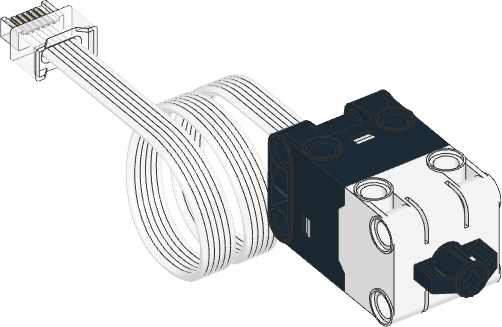
- class ForceSensor(port)
LEGO® SPIKE Force Sensor.
- Parameters:
port (Port) – Port to which the sensor is connected.
- awaitforce() float: N
Measures the force exerted on the sensor.
- Returns:
Measured force (up to approximately 10.00 N).
- awaitdistance() float: mm
Measures by how much the sensor button has moved.
- Returns:
Movement up to approximately 8.00 mm.
Examples
Measuring force and movement
from pybricks.pupdevices import ForceSensor
from pybricks.parameters import Port
from pybricks.tools import wait

# Initialize the sensor.
button = ForceSensor(Port.A)

while True:
    # Read all the information we can get from this sensor.
    force = button.force()
    dist = button.distance()
    press = button.pressed()
    touch = button.touched()

    # Print the values
    print("Force", force, "Dist:", dist, "Pressed:", press, "Touched:", touch)

    # Push the sensor button see what happens to the values.

    # Wait some time so we can read what is printed.
    wait(200)
Measuring peak force
from pybricks.pupdevices import ForceSensor
from pybricks.parameters import Port
from pybricks.tools import wait

# Initialize the sensor.
button = ForceSensor(Port.A)


# This function waits until the button is pushed. It keeps track of the maximum
# detected force until the button is released. Then it returns the maximum.
def wait_for_force():

    # Wait for a force, by doing nothing for as long the force is nearly zero.
    print("Waiting for force.")
    while button.force() <= 0.1:
        wait(10)

    # Now we wait for the release, by waiting for the force to be zero again.
    print("Waiting for release.")

    # While we wait for that to happen, we keep reading the force and remember
    # the maximum force. We do this by initializing the maximum at 0, and
    # updating it each time we detect a bigger force.
    maximum = 0
    force = 10
    while force > 0.1:
        # Read the force.
        force = button.force()

        # Update the maximum if the measured force is larger.
        if force > maximum:
            maximum = force

        # Wait and then measure again.
        wait(10)

    # Return the maximum force.
    return maximum


# Keep waiting for the sensor button to be pushed. When it is, display
# the peak force and repeat.
while True:
    peak = wait_for_force()
    print("Released. Peak force: {0} N\n".format(peak))